Employee information lives everywhere
A contract is in someone’s inbox. An ID document is in a shared folder. Their latest details are buried in a message.
Maybe you’re the founder. Maybe you run operations, finance or the office. Either way, you’re now keeping employee records organised, approving leave, collecting documents, onboarding new hires and making sure things actually get done.
Free for 1–5 employees. Virtual Workers cost extra.Small teams can run informally for a surprisingly long time. The problem is that somebody eventually becomes the spreadsheet, reminder system and source of truth.
A contract is in someone’s inbox. An ID document is in a shared folder. Their latest details are buried in a message.
Leave, expenses and employee requests arrive between emails, WhatsApps and everything else you’re already dealing with.
Documents need collecting. Information needs capturing. Equipment needs arranging. Someone needs to remember what happens next.
Applicants need reviewing. Interviews need arranging. Feedback needs collecting. Reviews eventually need completing.
Give everyday people admin a proper workflow instead of relying on messages, spreadsheets and somebody remembering what happens next.
Can I take leave next Friday?
Check spreadsheet → find balance → message manager → wait → update spreadsheet → tell employee.
The new person starts Monday.
Find documents → email forms → chase information → make a checklist → message everyone who needs to prepare something.
Has everyone read the new policy?
Send document → chase people → check messages → maintain another spreadsheet.
You don’t need to introduce every process at once. Start with the work taking up your time now and use more of Doo as your team grows.
Keep employee information and documents together, manage leave and reimbursements, publish policies and give employees access to everyday self-service.
Explore Core HRManage vacancies, applications, interviews and structured hiring without building another spreadsheet every time you recruit.
Explore recruitmentRun review cycles, set objectives, capture feedback and build a clearer performance history as your team grows.
Explore performanceAssign work, set deadlines and keep responsibilities visible instead of coordinating everything through chat and email.
Explore tasksWhen you’re running a small company, HR and recruitment rarely belong to someone full-time. Doo’s Virtual Workers take on specific, repetitive work inside the platform... checking records, following up, monitoring activity and reporting back while you stay responsible for the decisions that matter.
Virtual Workers are optional and cost extra.Keeps routine HR work moving in the background.
Your HR Assistant checks employee information, follows up on outstanding activity and helps the responsible people see what needs attention.
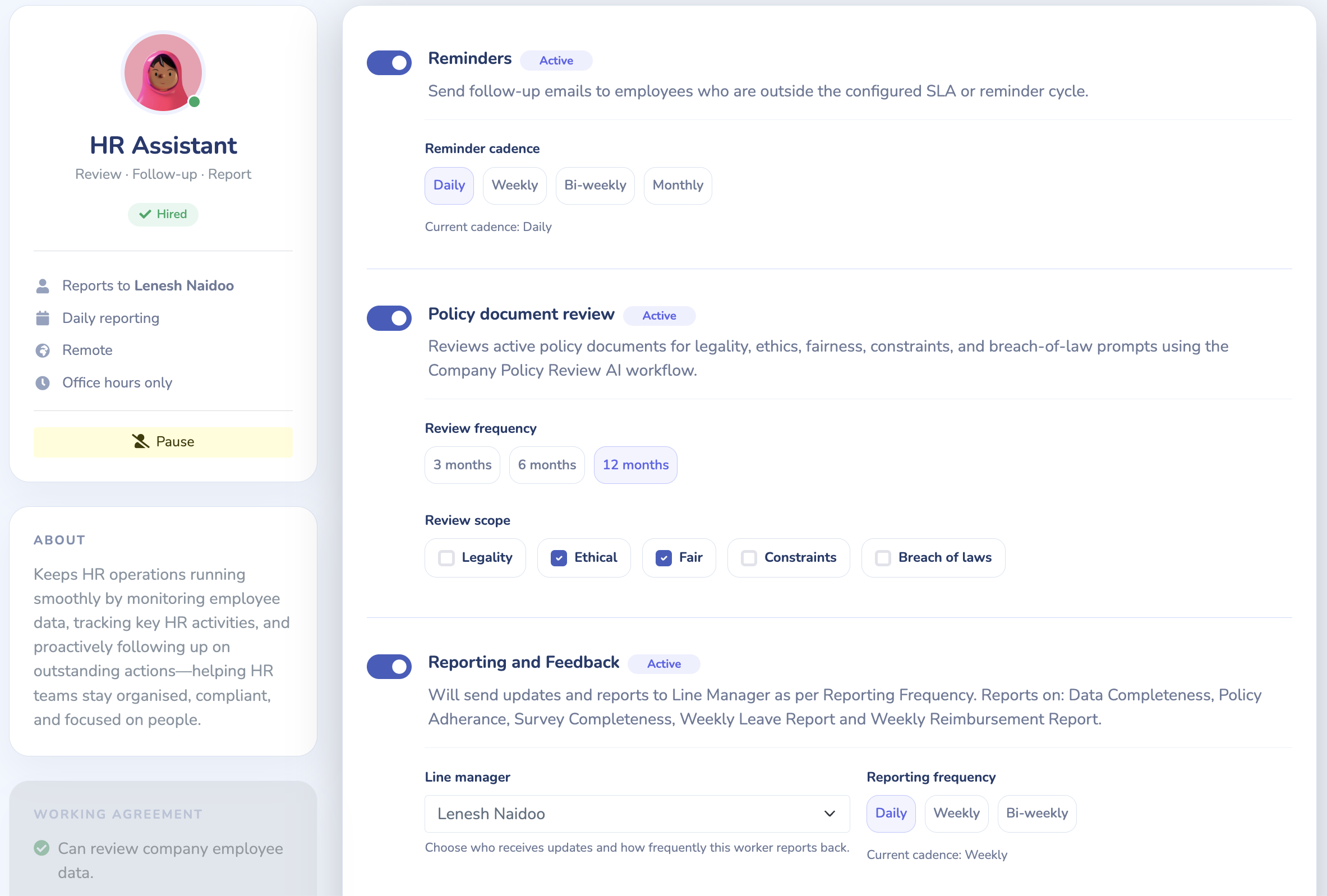
Choose the checks and follow-up your HR Assistant performs, how often it runs and who receives its updates.
Keeps hiring moving when recruitment isn’t someone’s full-time job.
Your Recruitment Assistant supports the repetitive work around hiring, bringing match suggestions, reminders and vacancy updates to the people reviewing candidates.
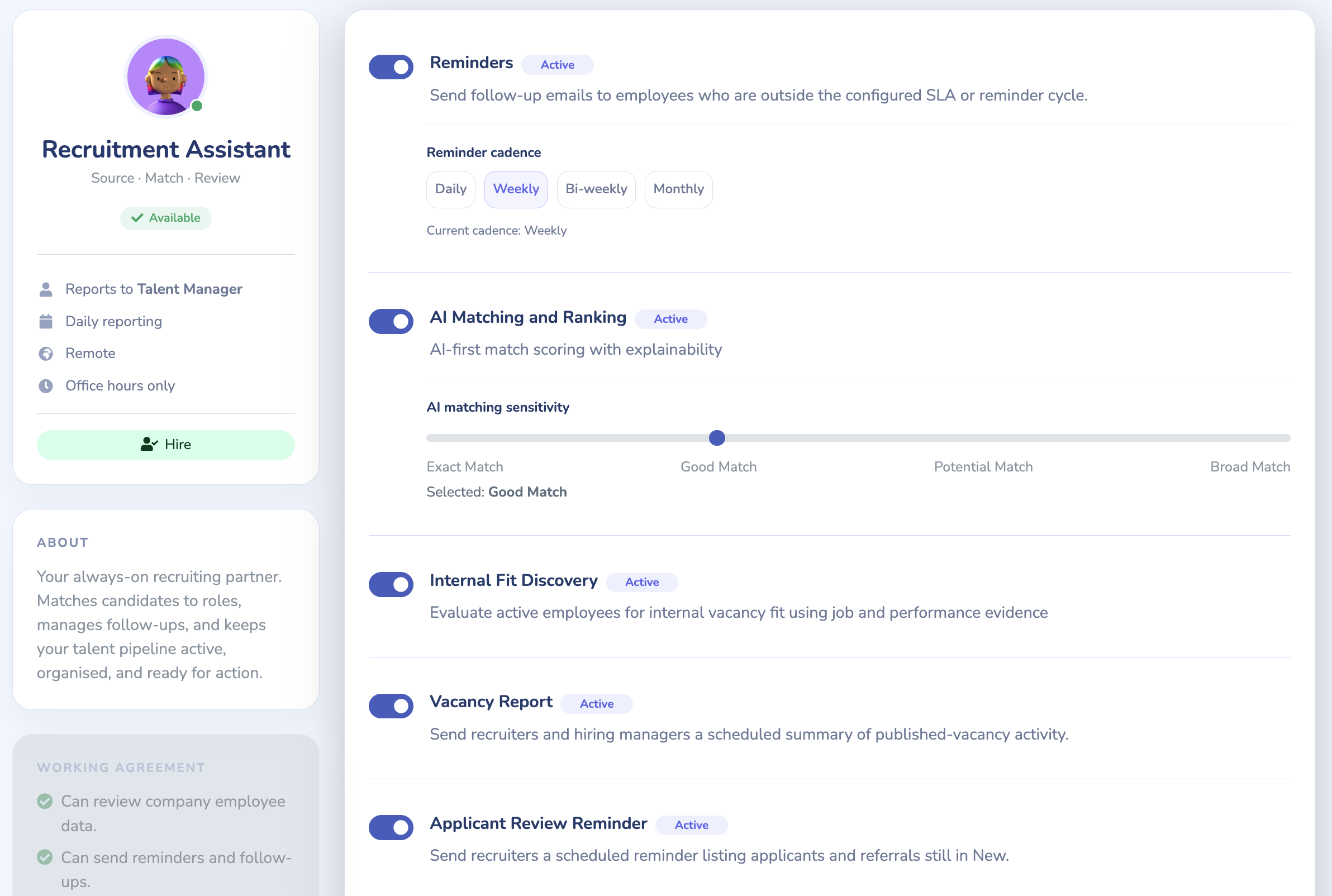
Choose the available matching, discovery, reminder and reporting responsibilities around the way your team hires.
Each Virtual Worker has a specific set of responsibilities that you choose to enable.
Worker activity is scoped to your company and the data its enabled capabilities use.
Review suggestions and flagged issues. Your authorised team remains responsible for employment decisions.
Designed to be usable by the people already running your business.
Founders, office managers and authorised team members can manage records, requests and tasks. You still decide your policies, set permissions and make employment decisions; Doo gives that work a structured place.
All platform features are included for 1–5 employees, with no time limit. Virtual Workers are optional and cost extra. Free workspace setup is self-service.
Start with your company and employee details, access permissions and the policies your team needs. Configure leave and other workflows before asking employees to use them.
Yes. Recruitment supports vacancies, applications, interviews and feedback. Employee onboarding requests collect new-starter information, and tasks can be assigned to coordinate the work around a new hire.
You remain responsible for your policies and employment obligations. Doo lets you store and publish company documents, request acknowledgements and see who has acknowledged them. These records support your processes; they do not establish legal compliance.
Your employee records and workflows remain in the platform. Review pricing or request a demo to discuss requirements beyond the free 1–5 employee tier.